
Crypto Wallet: new features, a new design system and design debt
Context
A Web3 wallet that has been on the market for over 4 years, with more than 15 million downloads and users in 190+ countries. The core audience is beginner crypto traders, but the team wants to gradually bring in experienced ones too. That sets the frame for every decision: don't overwhelm newcomers, give professional tools to those who want them, and don't scare off existing users with abrupt changes.
I worked on three tracks: building out the core trading scenarios and adding a viral loop, rebuilding the design system with AI tools, and paying down accumulated UX debt.
Core trading features and virality
Goal. The hypothesis: if trading feels safe, beginners will trade more often and with more confidence. We watch the share of positions with TP/SL and the number of active traders.
Take Profit / Stop Loss and limit orders
The wallet already had perpetuals trading, and people used it a lot. But there was no way to close a trade automatically: to lock in profit or cap a loss, you had to keep watching the market and close the position by hand.
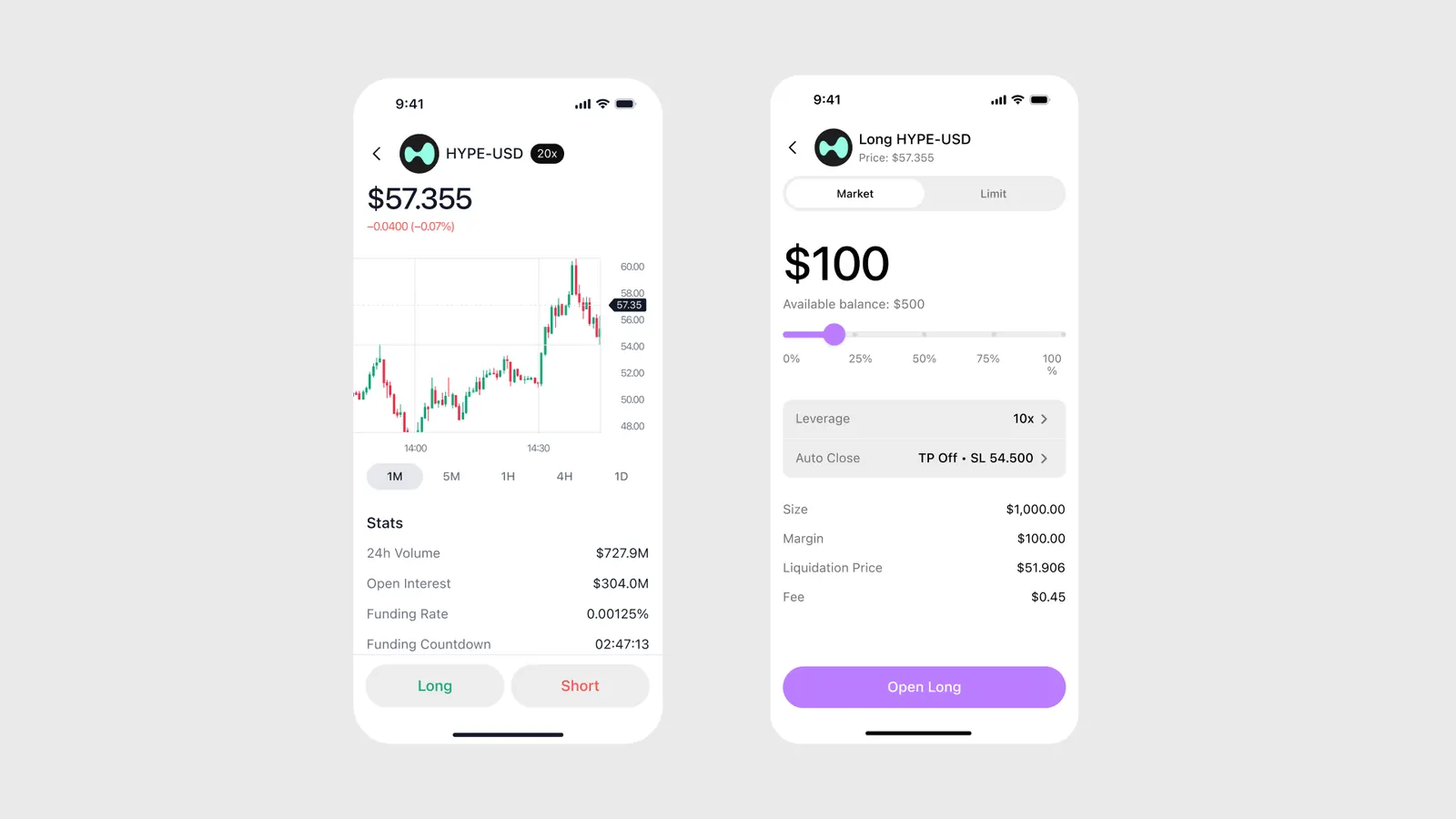
The task: add TP/SL and limit orders with a market / limit switch. Fit them into the existing interface so beginners wouldn't get lost, and gradually update the perpetuals page along the way.
Research and decisions
I looked at how TP/SL and limit orders work at the key players: Hyperliquid, Phantom, Trust Wallet, MetaMask. I looked at both the visuals and the functional decisions.
A user should understand in a second what they're opening, for how much, and what happens if the price moves.
- TP/SL is part of the order form. It's set right when the position is opened, and it can be turned off.
- The market / limit switch is at the top of the form. The limit price field only shows up when it's needed.
- Defaults are safe, and errors are visible before confirmation. Warnings are orange rather than red: the point is to give a hint, not to scare people.
- I prepared mockups for all the extra states and corner cases. Risk states and edge cases were finished together with the developers during implementation.

The basic wireframes came from the product manager, and I reworked the logic:
- Percent instead of dollars. The Gain field was set in $ by default. Almost every competitor uses percent, and many dropped dollars entirely. It's easier for a beginner and for the whole dev team to think and calculate in terms of "close at −10%". We switched to percent.
- Simple stop editing. The product team hadn't covered this flow, and competitors make it confusing: you cancel limit orders to change a stop. I suggested one input for profit and one for loss: you enter the new value, and the old one is shown underneath so you don't forget it. The team approved it.
- Corner cases missing from the spec: closing all positions at once, adjusting margin on an open position, the screen state after placing a bet. I designed them on my own.
After that I oversaw the build and ran design reviews. 30+ desktop screens in total.

On mobile I carried over the same principle, but there I had to rework the whole perpetuals page. I used progressive disclosure: a beginner sees a simple form, and an experienced trader can open every parameter when needed.
Result sharing
Goal: reach and new users. We watch shares per 100 trades, clicks and installs from the links.
Traders love to share results: a good trade or a winning bet is a reason to post on X. Competitors have ready-made cards for this, we didn't, so people either took screenshots or didn't share at all. For the product, that's a missed acquisition channel.
There were no prototypes or requirements, and the product manager was barely involved, so the structure, scenarios and visuals were up to me.
Research. I went where people actually share — X. I collected both card references and behaviour: what people are proud of (profit percentage, leverage, "called the market"), what they don't want to reveal (absolute amounts and deposit size), what makes a card feel alive (a chart, animation, GIFs instead of a static number), and when people want to share (not only on close, but while the position is still open).
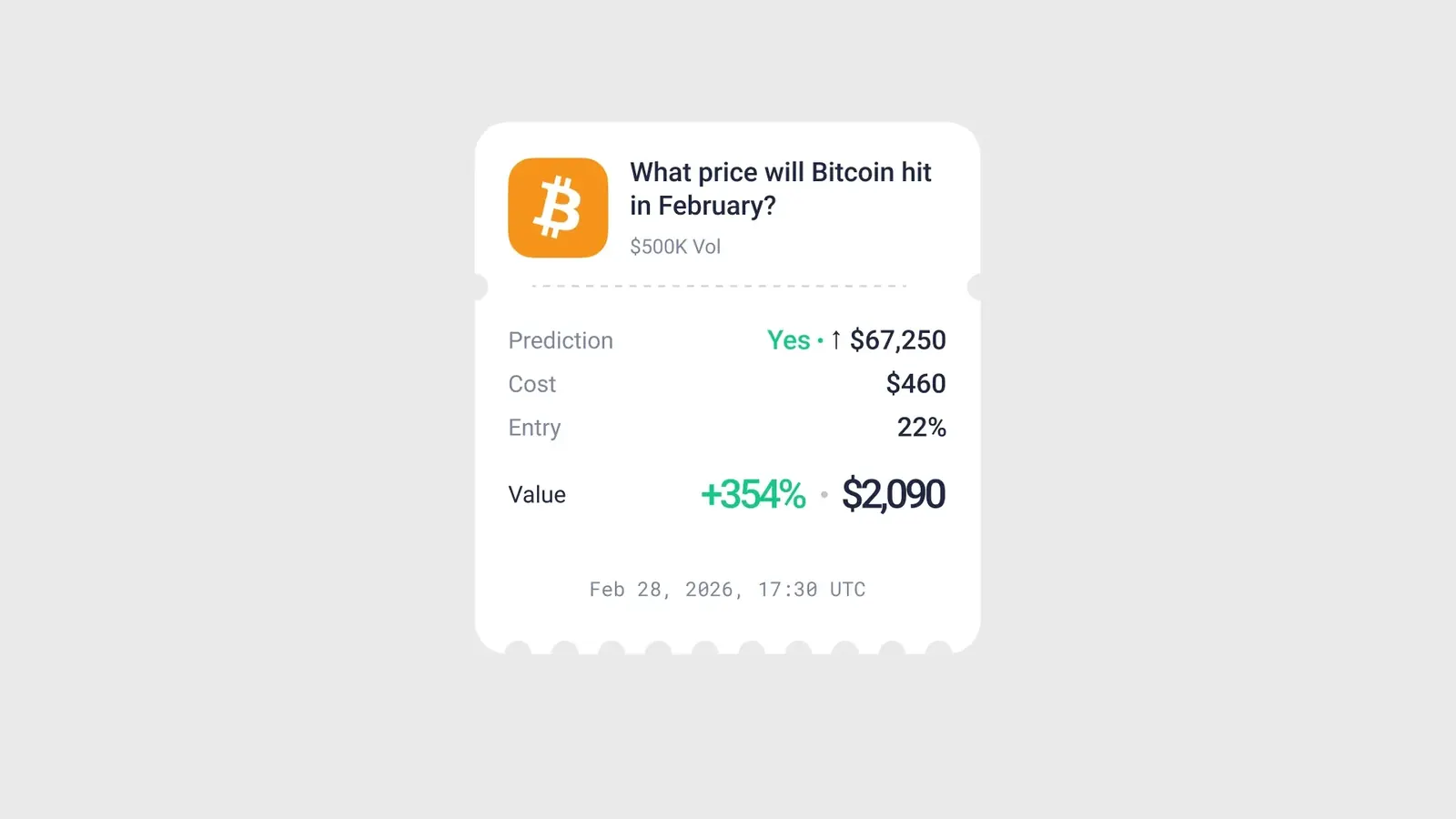
For perpetuals I designed profit and loss cards in 4 different designs, so users can pick one to match their mood. For prediction markets one card wasn't enough: people share different things at each of three stages, so there are three states.
- No bet yet. The user shares the market itself: the event and the current odds. Basically, it's an invitation.
- Bet placed, market open. We show the position and the outcome they bet on: "I think this is how it'll go".
- Bet won. The result, profit percentage and, if they want, the amount.
Key decisions
Design system and AI-accelerated process
Goal. Right now the system covers a small part of the interface. The aim is 80–90% of screens, so the app looks consistent and new screens are built from ready components.
Where we started
On paper, the product had a design system. In practice it was three incompatible layers, and every new screen added another one.
How I rebuilt it
Audit. I went through the whole app and every existing mockup and wrote down the values actually in use. That gave me a map of inconsistencies.
Tokens with AI. I moved all those values into a new file and turned them into tokens: colours, typography, spacing, radii. The mechanical part (parsing, grouping, naming) was done by an AI agent under my control: I set the structure and rules and checked the result. The icon pack was collected and renamed the same way.
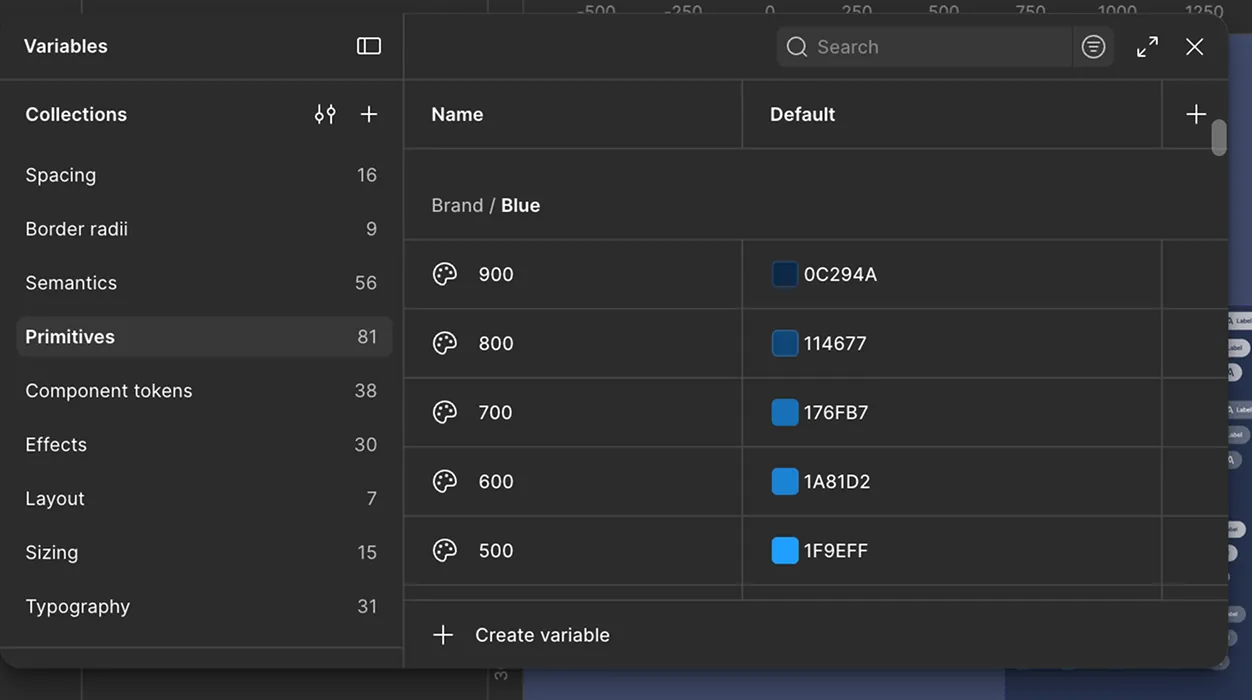
Atomic build. The system follows atoms → molecules → organisms. All new mockups use the new tokens, and components go into the system when the screen that uses them gets updated. That way the system grows with the product instead of becoming a separate project. The agent also generates component variants: the element already exists in a mockup, the agent turns it into a component with all its states and variants, and I review and fix it.
How much faster. By my estimate, about 3x. A component with all its variants takes 10–20 minutes by hand and 3–5 with the agent. Editing a component or adding an icon takes at least 5 minutes by hand and 1–2 with the agent.
Product quality and UX debt
Alongside the features, I was paying down the design debt that made the app look inconsistent.
- Visual defects. I ran a full audit of the desktop version and the mobile app and collected all the accumulated inconsistencies in one file. It came to about 40 UX/UI issues of varying importance. I sorted them by priority, and the developer and I started fixing them. First came small fixes that cost almost nothing in time but are immediately visible: the app became neater and easier to use. These fixes are also a way to move screens onto the new tokens.
- Release materials. I updated the App Store and Google Play screenshots and the visuals for X, so what the team ships looks consistent in the storefront too. I also designed and built landing pages for the new product sections.
Status and outcome
- TP/SL and limit orders: 30+ desktop screens are designed, built and have passed design review; mobile is waiting for the product manager's feedback.
- Sharing: perpetuals cards in 4 designs and 3 states for prediction markets; entry points and privacy settings handed off to development.
- Design system: tokens and icons are done, all new mockups use them, components are added as we go.