
Designing a module for an internal CRM
About the project
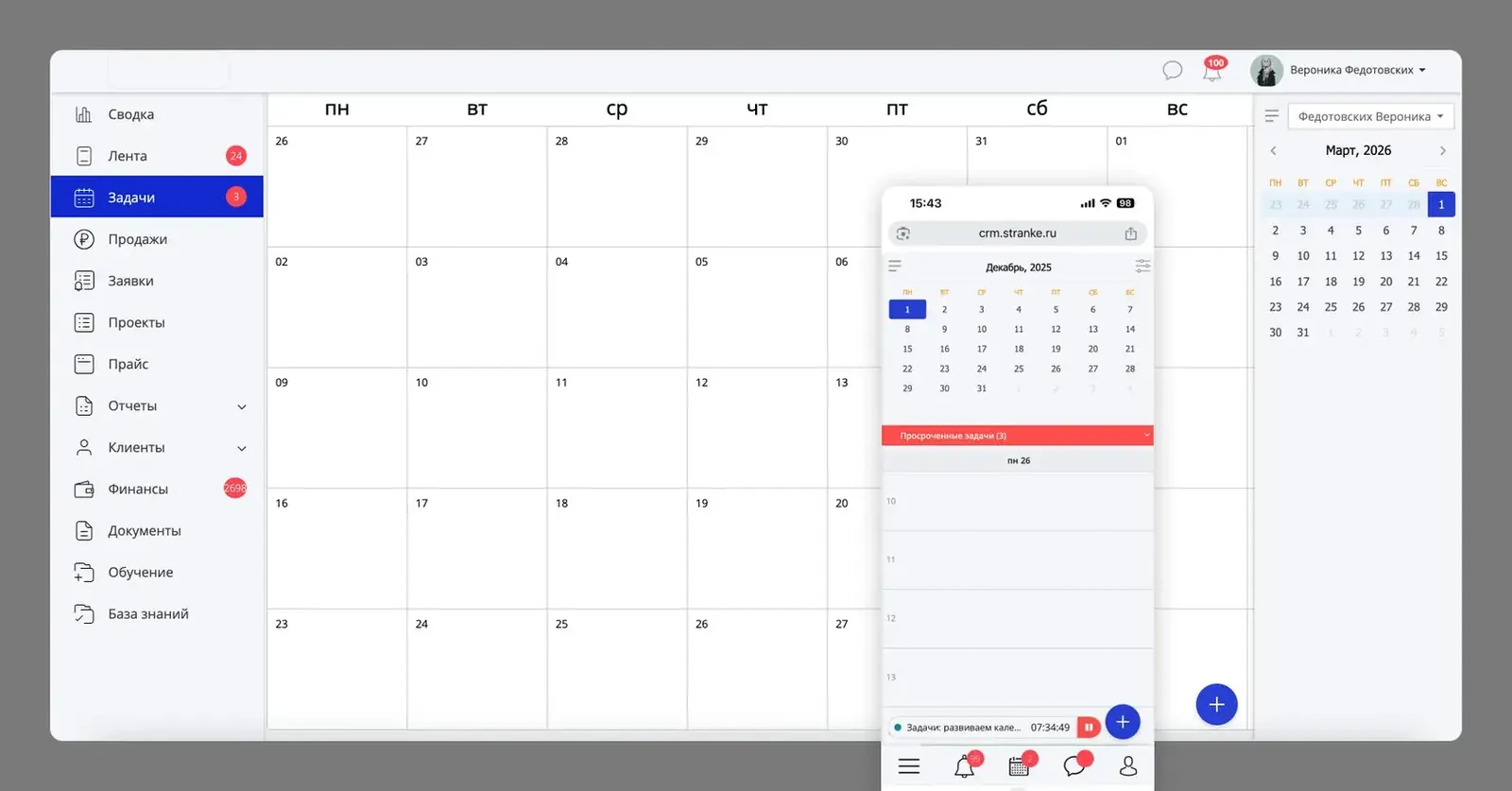
The agency's internal CRM was written long ago: the style was dated and there was no documentation. Planning the team's time in it was awkward. You couldn't see several people's workload at once, quickly switch between week and month, or keep track of deadlines.
Who uses it. The whole team: designers, SEO specialists, project managers, marketers and managers. In the CRM they assign tasks and deadlines, check the workload of each person and department, and track working hours.
The task
Add planning and workload management to the CRM. The goal: make assigning tasks faster and calculate the workload of each person and of the whole department faster and more accurately.
- For heads of departments and project managers: see the team's workload on one screen, hand out tasks faster and avoid overloading people.
- For employees: switch the calendar easily and find their way between periods and their own tasks.
Constraint: don't rewrite the front end and keep the current style, so the rollout stays cheaper.
Process
- Starting point. I worked in this CRM myself and knew its pain points. I also listened to what people complained about in meetings, talked to the manager and to my design team about what was awkward and what they wanted to change.
- Competitor analysis. I studied how planning works at direct and indirect competitors (AmoCRM, Week and others) and in popular component libraries. This let me rely on market best practices and pick solutions that could actually be built.
- UI audit. There was no UI kit, so I took apart the current front end and built a component library from it. New screens matched the old ones.
Solution
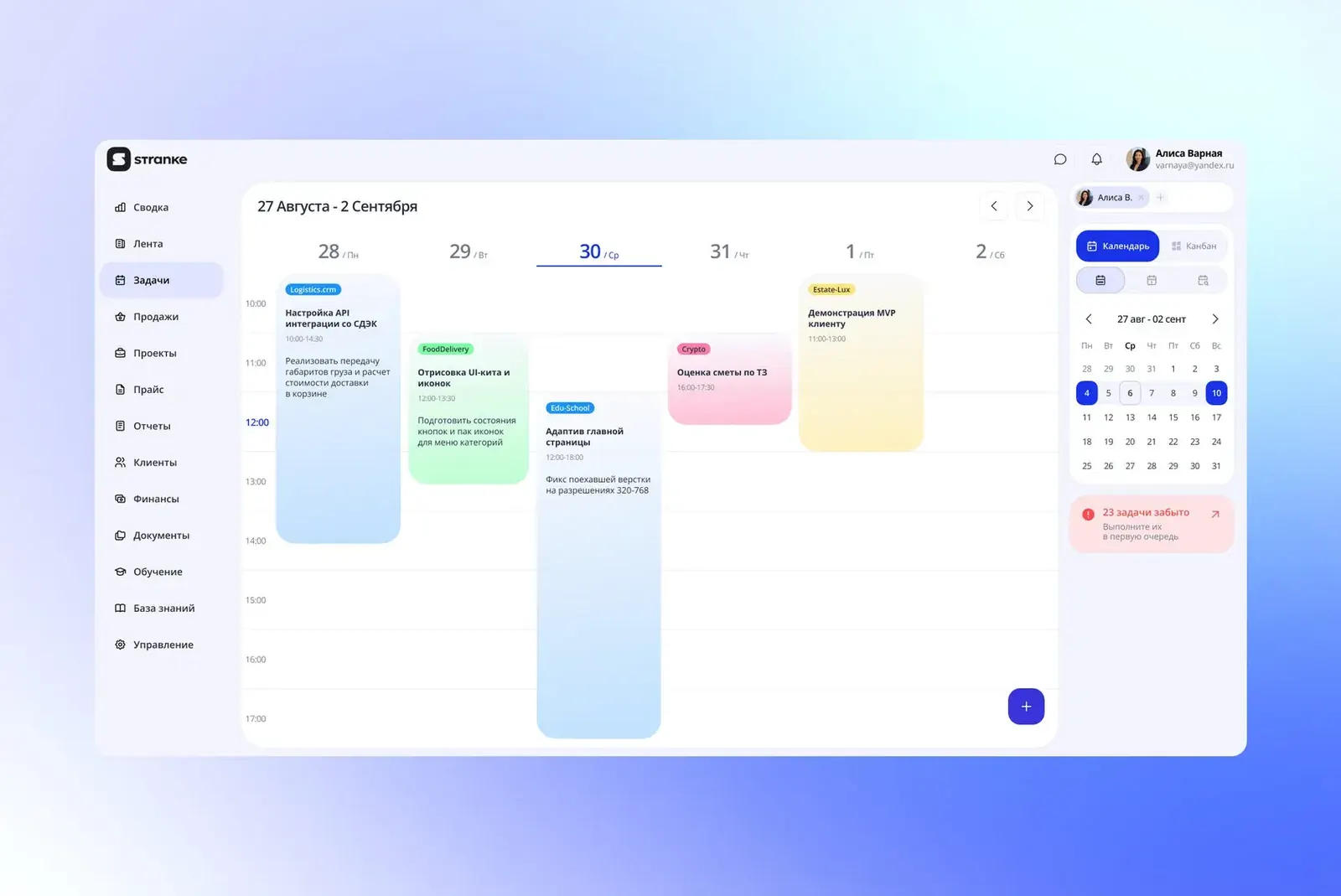
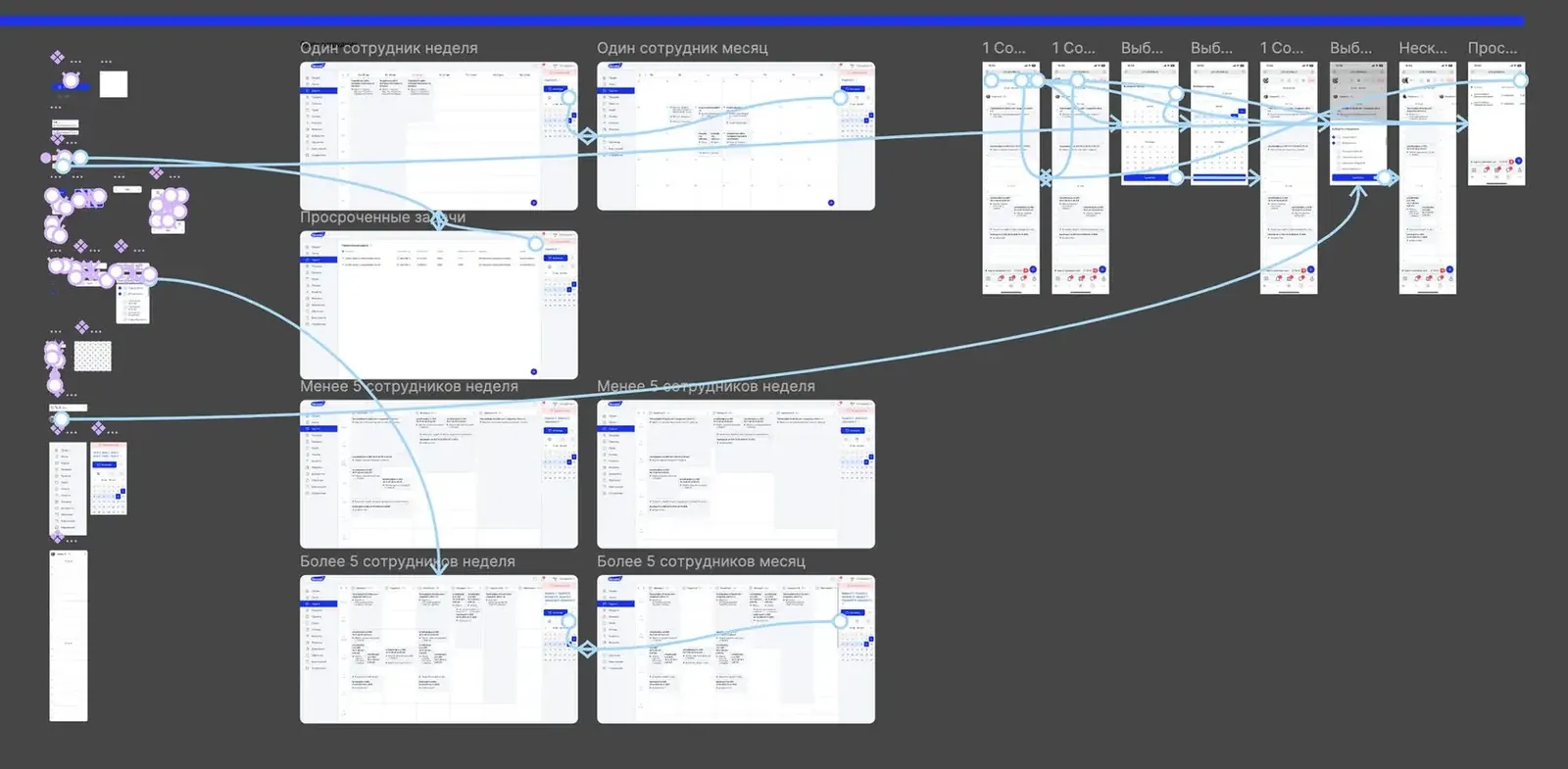
- Period switching: week, month, custom period. You can move through time without losing context.
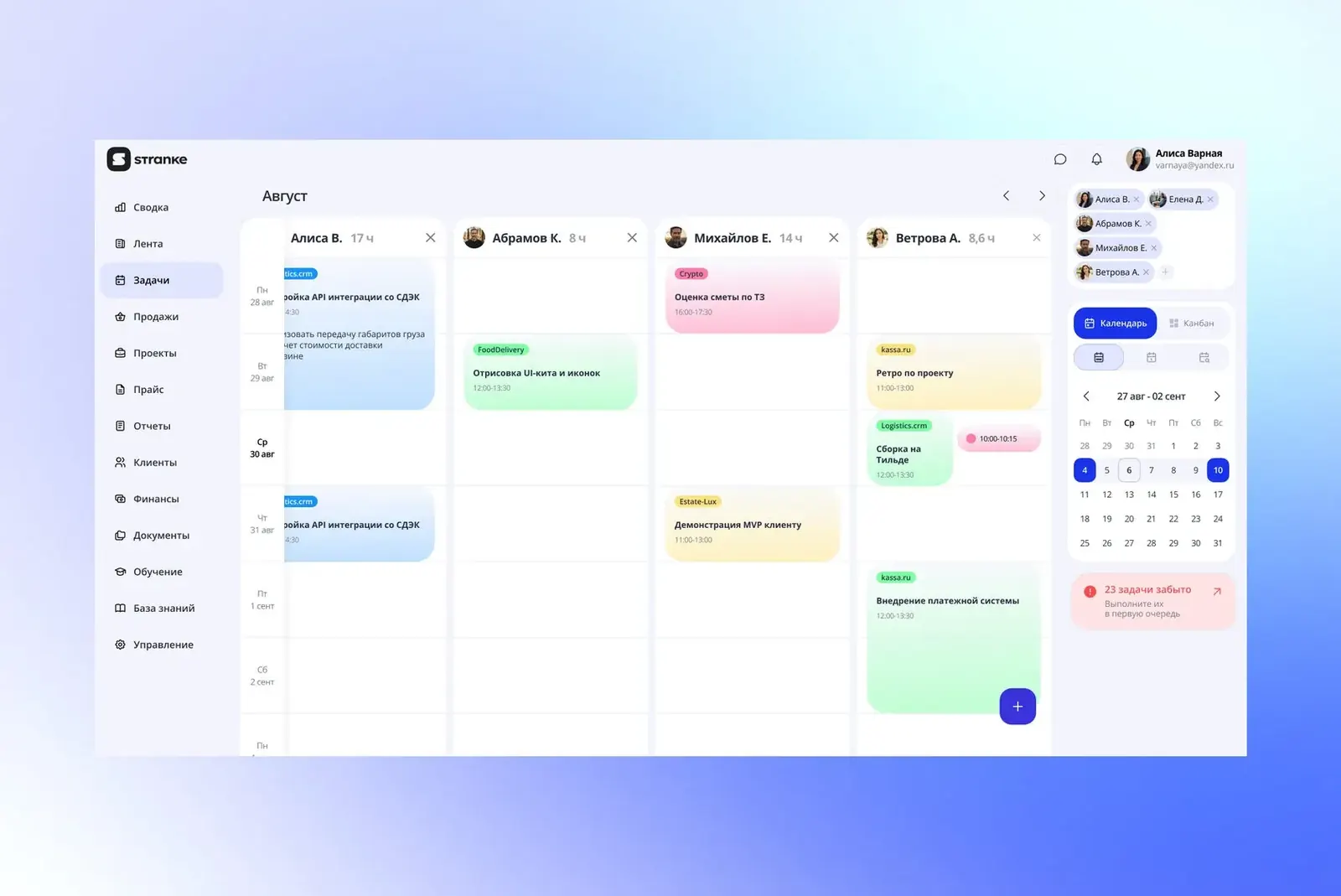
- Multi-view: several people's calendars side by side to see the team's workload.
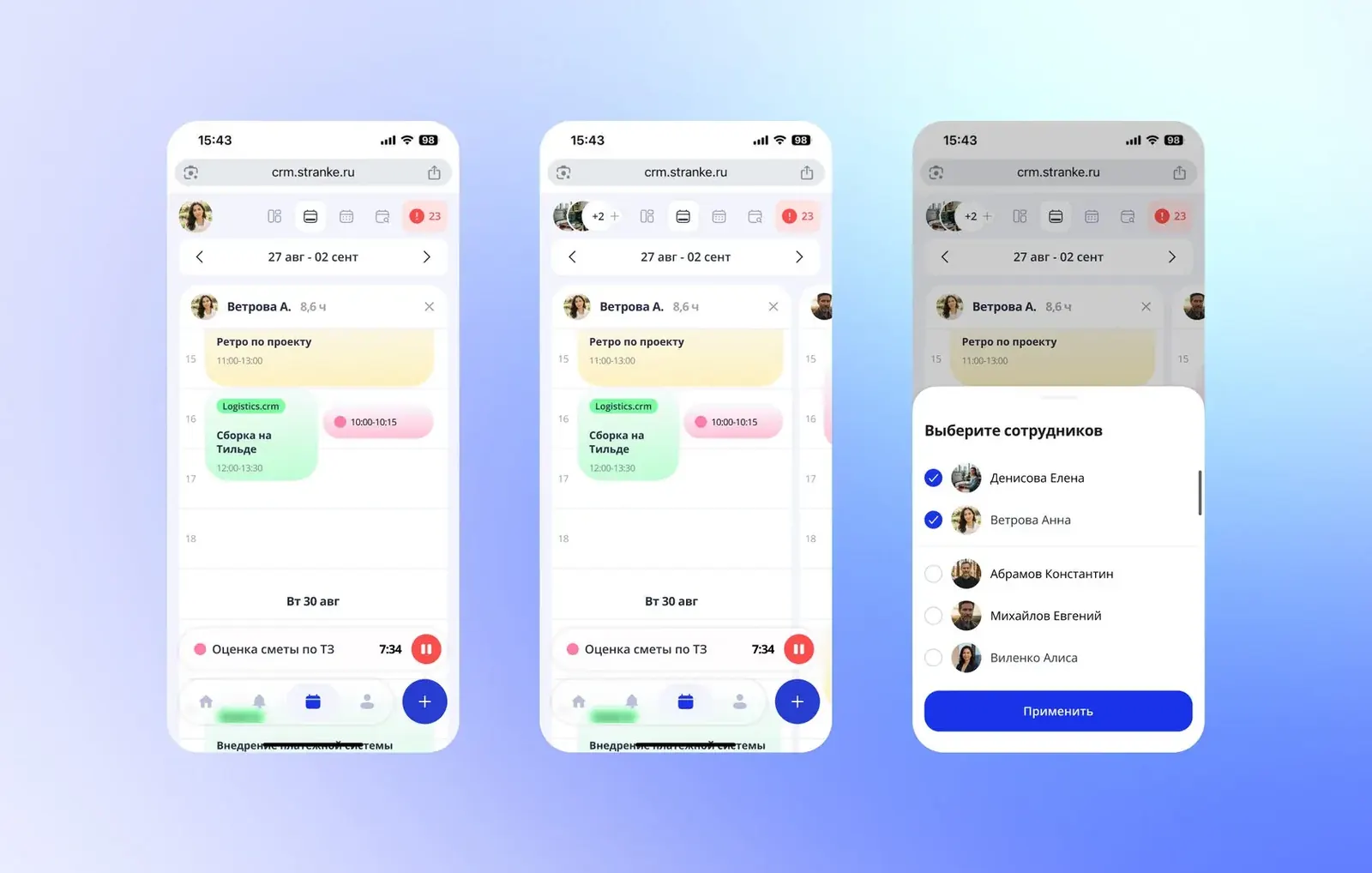
- Mobile. A week for several people doesn't fit on a phone, so each person is a separate card with a day timeline. You swipe sideways between people, and the edge of the next card peeks in on the right.
Prototype test
I built an interactive prototype and gave it to colleagues to try. What we changed:
- on mobile, made the menu shorter so tasks get more room;
- on desktop, added arrows in the top left corner for quick switching;
- rebuilt the grid: people go horizontally with a scroll, while week and month scroll down.
Result
- A planning module for desktop and mobile: multi-view and period switching.
- 3 navigation issues found in testing and fixed before development.
- A component library built from the existing front end: there was no UI kit before.
- Unfortunately, the project was closed during development: the company moved to a new AI platform.